Master powerful Excel tools and techniques designed to boost productivity, improve data analysis, and help you make smarter business decisions. This Advanced Excel course is ideal for professionals, students, and business owners who want to move beyond basic spreadsheets and work confidently with complex data.
You will learn advanced formulas, data visualization, automation, and reporting skills used in real-world workplaces. The course focuses on practical, hands-on training so you can apply what you learn immediately.
Enhance data analysis skills and create powerful dashboards for smarter business decisions. Automate reports and streamline workflows to improve productivity and accuracy. Gain industry-relevant Advanced Excel expertise through practical, enterprise-focused training.
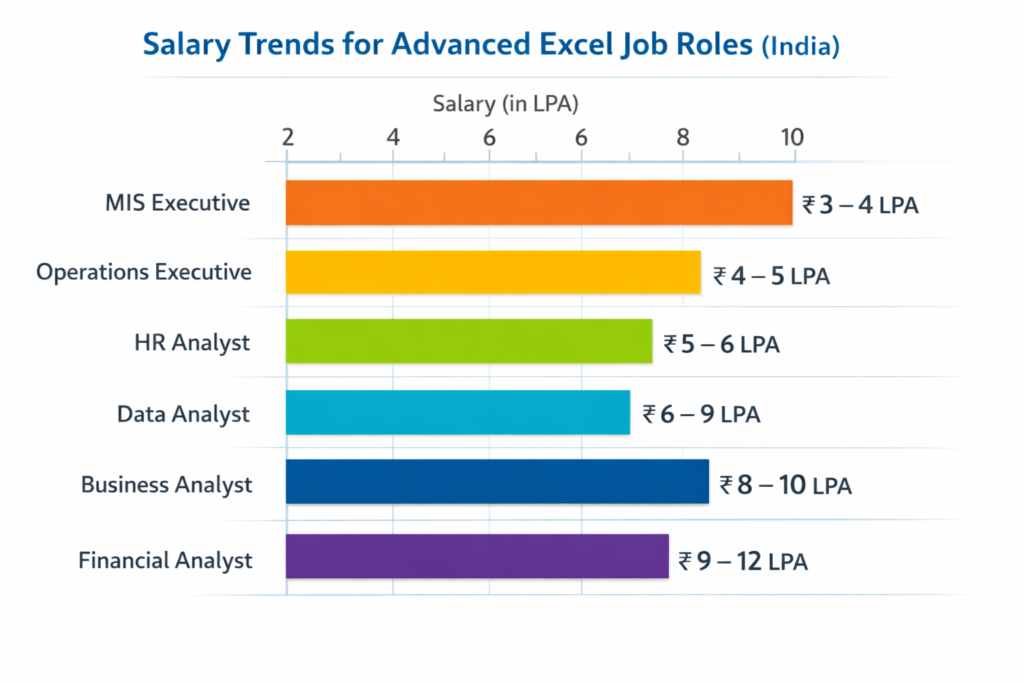
Designation - MIS Executive
Annual Salary
Hiring Companies
Designation - Data Analyst
Annual Salary
Hiring Companies
Designation - Business Analyst
Annual Salary
Hiring Companies
Designation - Financial Analyst
Annual Salary
Hiring Companies
Designation - HR Analyst
Annual Salary
Hiring Companies
Designation - Operations Executive
Annual Salary
Hiring Companies
Designation
Annual Salary
Hiring Companies
Certification Course Curriculum
Eligibility
To be eligible for a Advance Excel Certificate, candidates must generally understand Basic understanding of MS Excel and computer operations is recommended. Open to students, graduates, and working professionals from any field. Ideal for HR, Finance, MIS, Admin, and business professionals looking to upgrade advanced Excel skills.
Pre-requistes
Basic knowledge of MS Excel, including formulas and spreadsheet navigation. Familiarity with data entry, formatting, and basic functions like SUM and IF. Comfortable using a computer and managing files in a Windows environment.
Module 6 - Power Query & Data Transformation Basics
Module 7 - What-If Analysis & Forecasting Tools
Module 8 - MIS Reporting & Business Data Analysis
Module 9 - Introduction to Macros & Automation
Module 10 - Excel Productivity Tips, Shortcuts & Best Practices
Contact Us
02269719625
Request More Information
Advance Excel Course Advisor
Amit Patel
Senior Advanced Excel Trainer
A certified Microsoft Excel expert with strong industry experience in data analysis, MIS reporting, and dashboard development. Specializes in teaching advanced formulas, automation techniques, and real-time business case studies to help learners gain practical, job-ready skills.
Neha Kulkarni
Corporate Data Analytics Trainer
An experienced professional in business analytics and enterprise reporting, focused on Power Query, Pivot Tables, and data visualization. Known for hands-on training methods that simplify complex Excel concepts and improve workplace productivity.
Advance Excel Exam & Certification FAQs -
Is there an exam after completing the Advanced Excel course?
Yes, participants need to complete an assessment or practical exam to evaluate their understanding of advanced Excel concepts.
What type of exam will be conducted?
The exam usually includes practical tasks, case studies, and real-time Excel exercises based on course modules.
Will I receive a certificate after passing the exam?
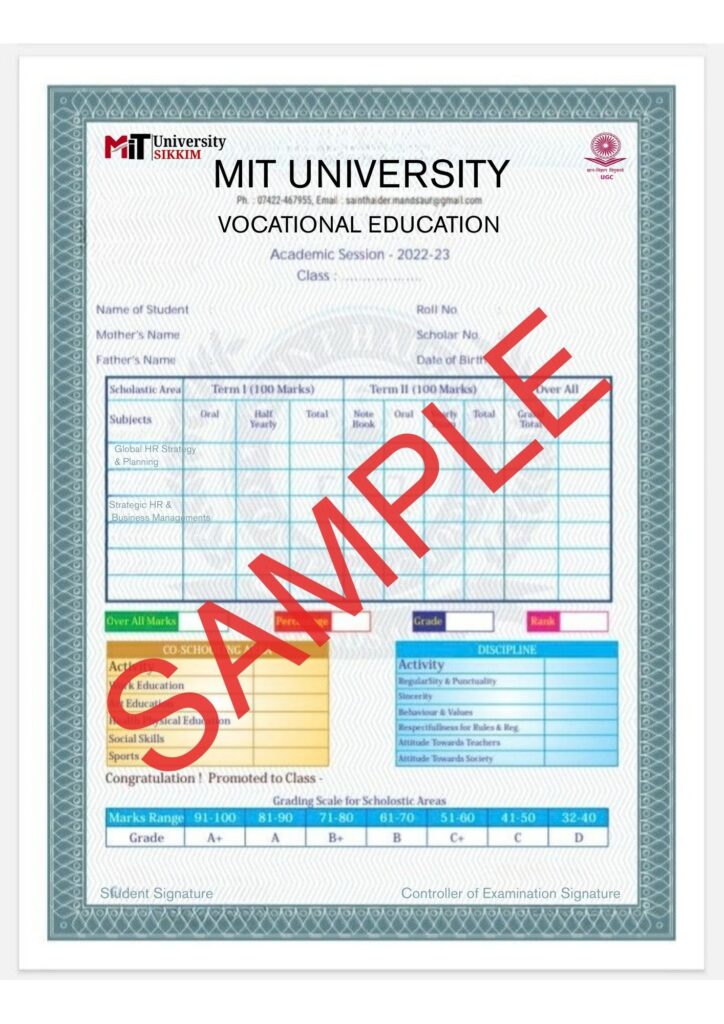
Yes, candidates who successfully complete the training and assessment will receive an Advanced Excel Certification.
Is the certification industry-recognized?
The certification is designed to be industry-relevant and helps enhance professional credibility and job opportunities.
What is the passing criteria?
Participants must demonstrate practical knowledge of formulas, reporting, dashboards, and data analysis to qualify for certification.
Why Join this Program
Advanced Formulas & Functions
Master powerful formulas like XLOOKUP, INDEX-MATCH, IF, SUMIFS, and logical functions to handle complex data with ease.
Data Analysis & Reporting
Learn to create Pivot Tables, Pivot Charts, and professional MIS reports for smarter business insights.
Dashboards & Data Visualization
Design interactive dashboards using charts, conditional formatting, and dynamic tools to present data effectively.
Automation & Productivity
Improve efficiency with Power Query basics, Macros introduction, and smart Excel shortcuts to automate repetitive tasks.